


brian.marshall92
-
Posts
9 -
Joined
-
Last visited
-
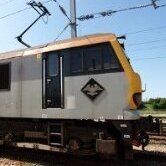
E186 tail lights
brian.marshall92 replied to brian.marshall92's topic in General Discussion [Singleplayer]
I really appreciate your help Mateusz and the effort you have put into this. I have done everything you said and the tail lights are still on after coupling up etc. I am attaching a photo so you can see. It is only a minor annoyance and I would not normally drive this scenario with the 186. When I drive it with the ET22 or ET25 it is all fine, but those locos have separate switches (ET22) or touchscreen menus (ET25) to control the tail lights. Thanks again.
-
E186 tail lights
brian.marshall92 replied to brian.marshall92's topic in General Discussion [Singleplayer]
Thanks that is a very helpful explanation and screen shots. I did know about the battery switch position and I did leave the battery on. But I did not know about the shunting light positions, so I will give that a try and see if that switches the tail lights off once I have a train connected behind the locomotive. -
E186 tail lights
brian.marshall92 replied to brian.marshall92's topic in General Discussion [Singleplayer]
It is actually the front lights in the settings menu but I was hoping it might switch off the tail lights if I went back into the back cab! I am sure in the real locomotive there will be a switch or a screen menu item to switch on/off the tail lights. Something for the developers to work on as well as the much needed train length button. -
E186 tail lights
brian.marshall92 replied to brian.marshall92's topic in General Discussion [Singleplayer]
Many thanks for this quick response. It has not solved the issue. I was driving the last scenario under the Tunel route where you drive the light engine 186 into the yard, couple up, change ends, do the brake test etc. Everything works except the tail lights stay on. Other scenarios when the loco is already coupled to the train are fine, so it seems to be an issue when starting with a light engine. Having looked into this a bit more, the left hand screen, option 8 on the bottom row, brings up the settings menu. The very top item is to switch on or off the tail lights. But it does not seem to be functional. So I am not sure if this just does not work, or if it is something to do with this scenario. I hope that is helpful information, and thanks again for your help. -
I have noticed that the tail lights on the E186 Traxx are still on when pulling a train. And there seems to be no option for turning these off when I try all the positions on the switch on the rear wall of the cab. Is it possible to switch the tail lights off and if so how? Many thanks.
-
Thanks for the prompt and helpful responses. I think it must be a bug since today it all worked perfectly and also the day before I got the 'EVC not connected problem'. For information, I was driving with ETCS SHP level, and the EVC switch on the back wall showed it as active, but the middle screen on the driver's desk was black apart from the 'EVC not connected' message. I am really impressed by how helpful you guys are.
-
How to change cabs
brian.marshall92 replied to brian.marshall92's topic in General Discussion [Singleplayer]
Many thanks, very helpful. I have changed cabs OK but tonight when I did, I got a message saying EVC not connected, and I could not resolve this. Any suggestions? -
How to change cabs
brian.marshall92 replied to brian.marshall92's topic in General Discussion [Singleplayer]
Many thanks for this very helpful response. -
How to change cabs
brian.marshall92 replied to brian.marshall92's topic in General Discussion [Singleplayer]
Many thanks for this quick and helpful response. I have now been able to shut down one cab and move to the other one and activate it and set it up. But I still do not know how to couple to my wagons. How can I do that? -
Hello. I am new to Sim Rail which is excellent. It is a big step up on other train simulators and much more convincing. I have been driving the Dragon 2 and I need to couple to a train and then change cabs. I have not been able to find the key binds for these. Can anyone tell me how I couple and how I then change cabs? Many thanks.
